Building in Wonderland
Thursday, November 10, 2011
Homework Assignments for Class 9
1) Below is the email I sent to the yahoo group for my final project object selection and conversion for the psychologically beneficial immersive environments.
----- Forwarded Message -----
From: R R <skimom09@yahoo.com>
To: "3DVR@yahoogroups.com" <3DVR@yahoogroups.com>
Sent: Thursday, November 10, 2011 1:32 PM
Subject: Re: [3DVR] I'll work on Autistic Liberation Front and Virtual Helping Hands
The two Immersive environments that I'll work on will be:
Autistic Liberation Front
Virtual Helping Hands (updated to NewWaysCounseling/Sunshine Therapy Garden, 11/26/11 another email)
Cheers~
Rose
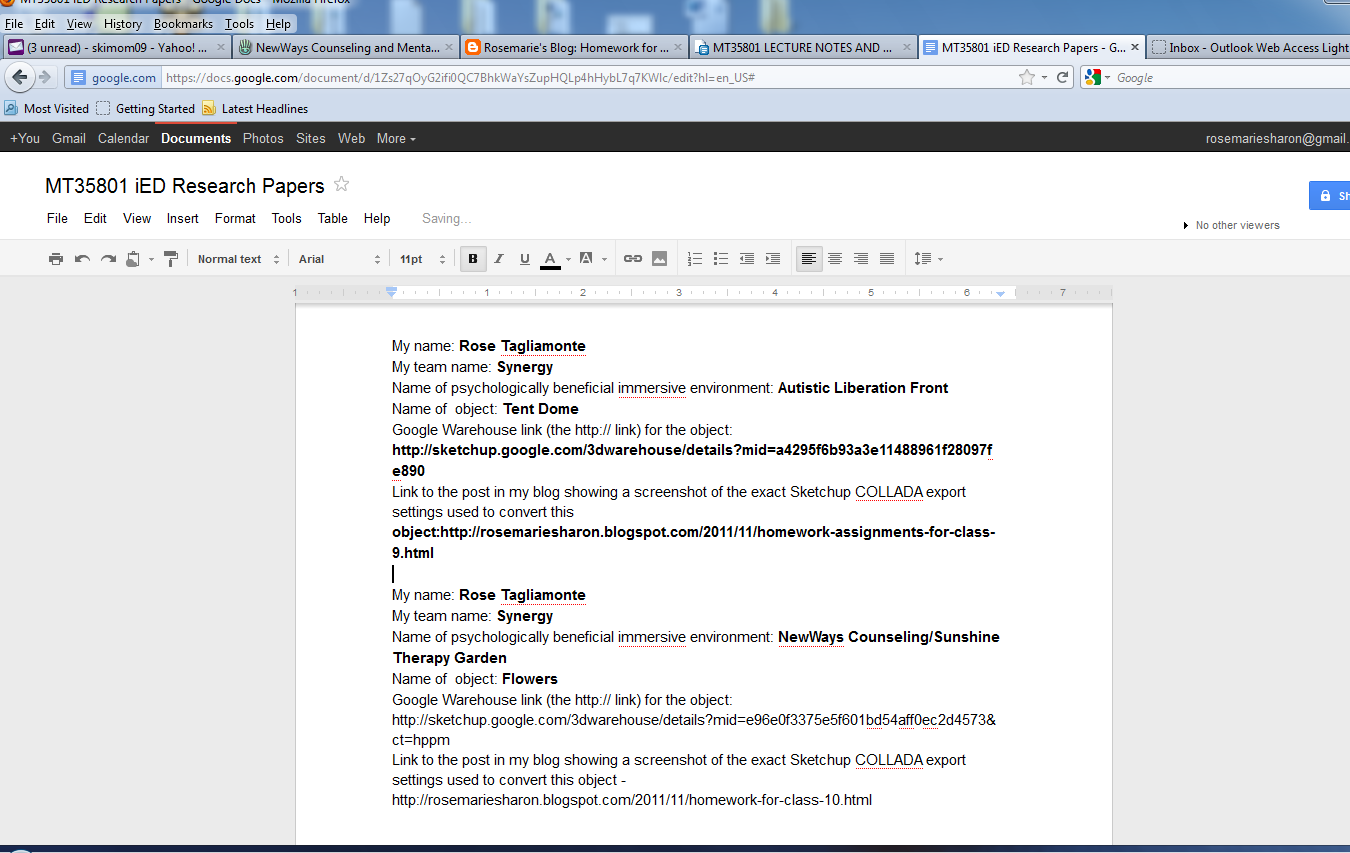
Below are the Google 3D Warehouse bookmark links for the objects I have selected:
1. For Virtual Helping Hands - I chose two musicians for the virtual helping hands to promote wellness in the Virtual Helping Hands environment. Below is the 3D link.
Musicians Tegan and Sara
2. For my second item, I chose the tent dome for the Autistic Liberation Front to promote wellness for the Autistic children as this enhances the Autistic Liberation Front virtual area by promoting an additional unique object for these children to work with.
Tent Dome
Below, I saved my chosen two objects in SketchUp, converted my two objects into COLLADA (dae) format, and then dragged-and-dropped the two items Wonderland.
1. For my first object I brought my musicians, Tegan and Sara into SketchUp, and then exported into Collada format with the below export settings under options.
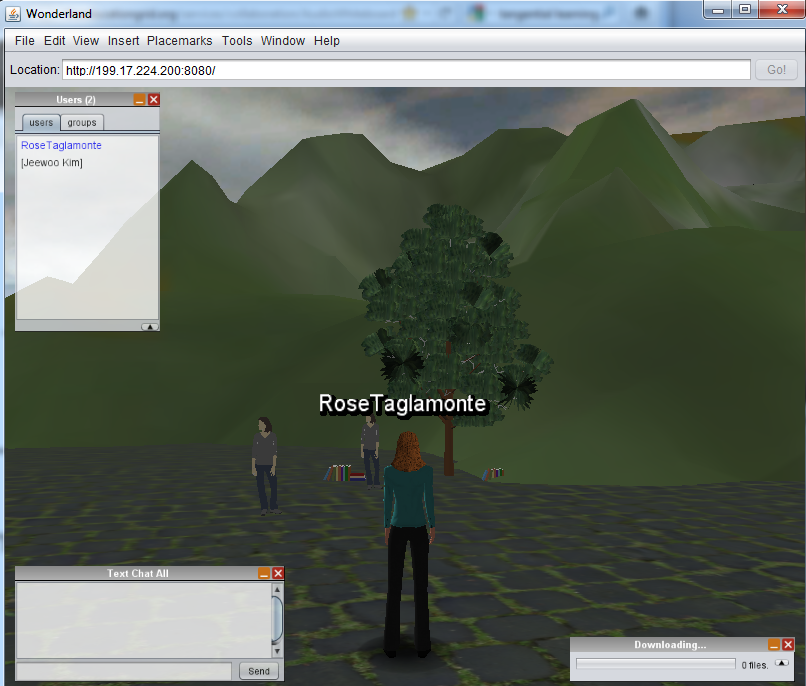
My two objects have been dragged and dropped into Wonderland, and the screen shots below depict my avatar standing next to my objects
K12.TWG Weekly Meeting - Nov 9 Moonbase Alpha Discussion
K12.TWG WEEKLY MEETING NOTES - NOV 09 2011
>> GLOBAL MOONBASE ALPHA COMPETITION: The next two weekly meetings will be dedicated to discussions, planning and preparation for the upcoming international Moonbase Alpha student/school competition. For details about Moonbase Alpha, including videos and installation details, see the meeting notes for Nov 2nd below.
>> DISCUSS MOONBASE ALPHA IN THE iED DISCUSSION GROUP:
POLL: The first Immersive Education K-12 SUMMIT will be in Colorado (Summer 2012). Would you prefer to have it in DENVER or BOULDER? CAST YOUR VOTE & SEE THE RESULTS HERE NOW! |
>> GLOBAL MOONBASE ALPHA COMPETITION: The next two weekly meetings will be dedicated to discussions, planning and preparation for the upcoming international Moonbase Alpha student/school competition. For details about Moonbase Alpha, including videos and installation details, see the meeting notes for Nov 2nd below.
>> DISCUSS MOONBASE ALPHA IN THE iED DISCUSSION GROUP:
Sunday, November 6, 2011
Class 8 Work
Downloading Two items from the google 3D warehouse - http://sketchup.google.com/3dwarehouse/
A mirror downloaded in the most current version, in skp format
Dragging into Wonderland - mirror - would not take in Wonderland.
The drag-and-drop exercise above failed because the Sketchup file format is proprietary and not supported by Wonderland. This is a common problem in the video game and virtual reality industry: there is no single 3D file format that every virtual world or video game supports. You must therefore convert the Sketchup file format into a format that Wonderland supports. But what format?
Open 3D/VR Standards:
Cross-platform 3D/VR mesh file format are emerging, enabling content to be utilized across virtual worlds, simulators, games and augmented reality platforms. The Open Formats Technology Group is paving the way for this charge which not only includes across platform capabilities, but also high resolution formats. This below video describes this capability
Create One, Share Everywhere Video describes the above Open 3D/VR Emerging Standards where content can be shared across platforms.
Designers are beginning to be able to create content in a platform, then utilizing their content across multiple platforms. For instance, the Marilyn Blue Crab can be created in one platform, and utilized in another platform. We see the same building in Open Wonderland, Open Cobolt and in Sirikata, as we see the possum in Wonderland, Sirikata and then in the Immersive save in South Park Elementary School in Colorado-dragged and dropped. As a side technical note, the upload of content in Wonderland, supporting upload, we can see the crab in the Wonderland Environment. Then in realXtend, the same crab is able to drag from Wonderland into realXtend - this is a neat global scale immersive environment example. You can start creating content, and prepare it to use across platforms which opens a whole new world of working globally across platforms.
This is the link to the described original announcement from above.
10. Downloaded items from the google 3D warehouse - http://sketchup.google.com/3dwarehouse/ and successfully saved them into .skp formats, choosing the latest SketchUp version. Most of the items I chose were saved in version 6.
Successfully opened saved models in Sketchup (.skp format) - below you see a tree and a mirror. I dragged and dropped into SketchUp.
11.Choose file=>Export=>3D
Collada Format (.dae)
File=>Export=>3D=Now the "Options" button under the export button
Default Sketchup COLLADA export settings under the options menu which is under the cancel button.
12. Drag and Drop your items into Wonderland with the collada format that you just created via the export from above - I have a mirror and tree - a *.dae file format. Need to log out and log back into Wonderland to see my items.
Dragged the following items into Wonderland
First brought in some books(default dae collada file format - no changes under options)
Then added a tree(no changes under the options format-utilized the defaults)
And brought in a mirror(default)...
Then, brought in a fourth item by itself(default)... a lovely palm tree! :-)
A mirror downloaded in the most current version, in skp format
Downloaded a most current version tree into skp latest format
Dragging into Wonderland - mirror - would not take in Wonderland.
Now trying the tree that was downloaded in skp format.
Another failure message for dragging and dropping into wonderland.The drag-and-drop exercise above failed because the Sketchup file format is proprietary and not supported by Wonderland. This is a common problem in the video game and virtual reality industry: there is no single 3D file format that every virtual world or video game supports. You must therefore convert the Sketchup file format into a format that Wonderland supports. But what format?
Open 3D/VR Standards:
Cross-platform 3D/VR mesh file format are emerging, enabling content to be utilized across virtual worlds, simulators, games and augmented reality platforms. The Open Formats Technology Group is paving the way for this charge which not only includes across platform capabilities, but also high resolution formats. This below video describes this capability
Create One, Share Everywhere Video describes the above Open 3D/VR Emerging Standards where content can be shared across platforms.
Designers are beginning to be able to create content in a platform, then utilizing their content across multiple platforms. For instance, the Marilyn Blue Crab can be created in one platform, and utilized in another platform. We see the same building in Open Wonderland, Open Cobolt and in Sirikata, as we see the possum in Wonderland, Sirikata and then in the Immersive save in South Park Elementary School in Colorado-dragged and dropped. As a side technical note, the upload of content in Wonderland, supporting upload, we can see the crab in the Wonderland Environment. Then in realXtend, the same crab is able to drag from Wonderland into realXtend - this is a neat global scale immersive environment example. You can start creating content, and prepare it to use across platforms which opens a whole new world of working globally across platforms.
This is the link to the described original announcement from above.
10. Downloaded items from the google 3D warehouse - http://sketchup.google.com/3dwarehouse/ and successfully saved them into .skp formats, choosing the latest SketchUp version. Most of the items I chose were saved in version 6.
Successfully opened saved models in Sketchup (.skp format) - below you see a tree and a mirror. I dragged and dropped into SketchUp.
11.Choose file=>Export=>3D
Collada Format (.dae)
File=>Export=>3D=Now the "Options" button under the export button
Default Sketchup COLLADA export settings under the options menu which is under the cancel button.
12. Drag and Drop your items into Wonderland with the collada format that you just created via the export from above - I have a mirror and tree - a *.dae file format. Need to log out and log back into Wonderland to see my items.
Dragged the following items into Wonderland
First brought in some books(default dae collada file format - no changes under options)
Then added a tree(no changes under the options format-utilized the defaults)
And brought in a mirror(default)...
Then, brought in a fourth item by itself(default)... a lovely palm tree! :-)
Sunday, October 30, 2011
ASSIGNMENTS DUE BEFORE FOR NEXT CLASS: 8
Class Assignments
Take
screenshots of all homework that you do, as you do it (periodic
screenshot, to show progress on the work you do), and then post the
screenshots to your blog along with a text description. When done post
your blog link to the Yahoo Group for peer review, and review the work
of your fellow classmates through the Yahoo Group.
- Listen to me explain the key differences between virtual worlds, simulators, and video games and how they are all used for Immersive Education: click here to listen.
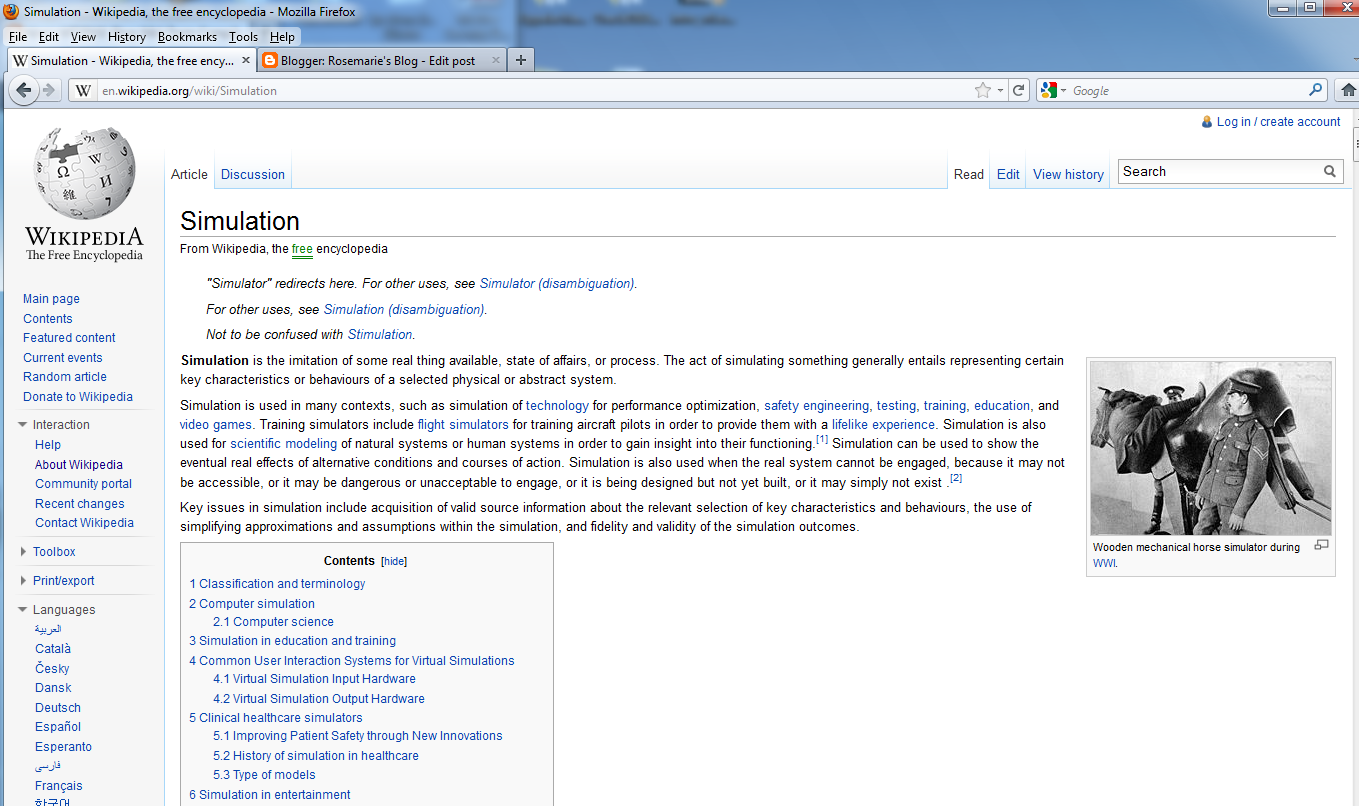
- Skim (read, but not in extreme detail) this article about simulators and simulations: http://en.wikipedia.org/wiki/Simulation
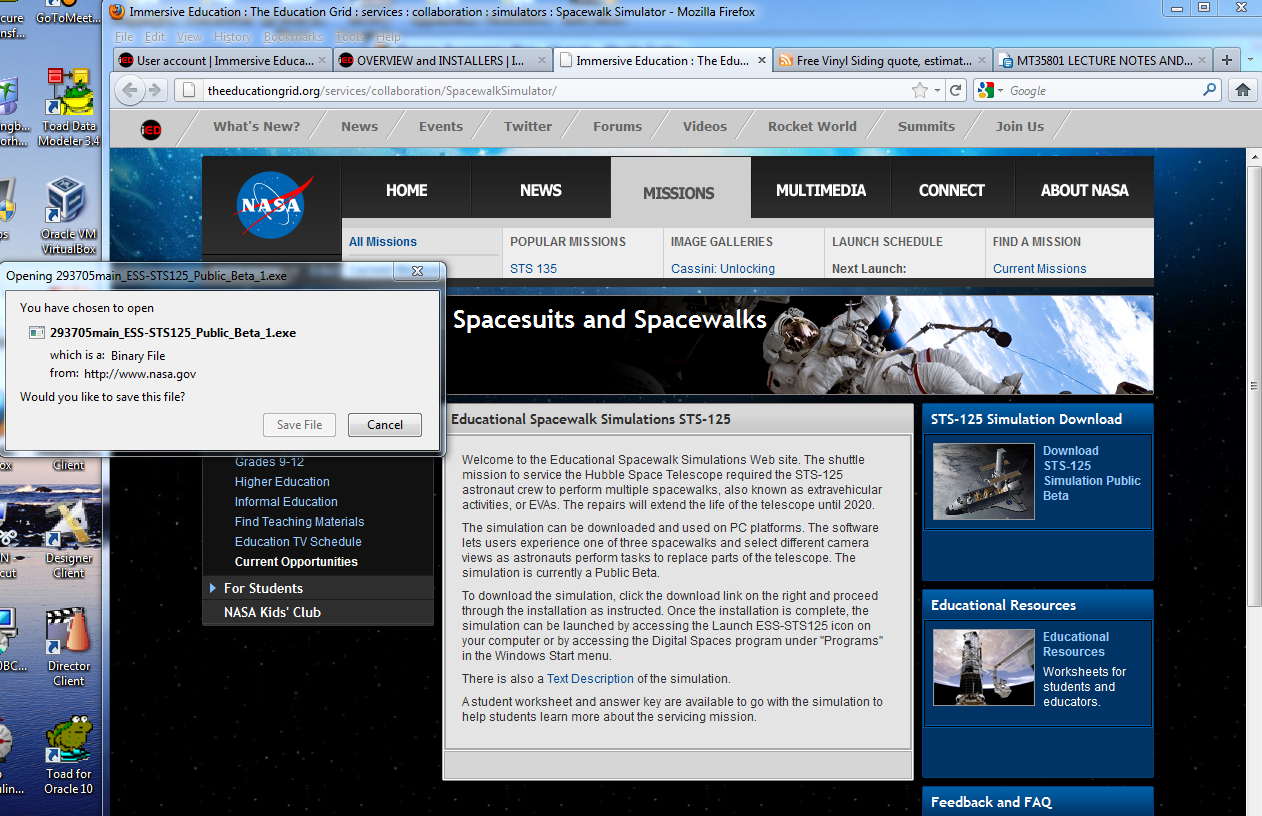
- Download and run the NASA Spacewalk Simulator (Windows operating system only; you may have to borrow a Windows computer from a friend or family member for this and other Windows-only assignments). You will find the NASA Spacewalk Simulator in the Rocket World discussion forums in the Immersive Education forums (at http://immersiveeducation.org/forums). As always, take screenshots and post to your blog along with a text summary of what you just did.
- Watch this video about Video Games & Learning: http://www.youtube.com/watch?v=rN0qRKjfX3s
1. Key difference between virtual worlds, simulators, and video games and how used for Immersive Education.
There are various differences, advantages and disadvantages between virtual worlds, simulators and video games.
Virtual worlds - users create content, which resides in the virtual world in a co-present and shared experience with other users. If email or remote classrooms by watching it doesn't have collaborative feeling. Virtual worlds give students an experience together in the virtual world. Students can meet the teacher in various locations - experiences something together, giving a deeper sense of connectivity - immersing IN the experience.
Simulator - is a singe user experience, like flight simulators as one example. However, simulators do not give the freedom to move about, like the virtual world provides.
Video Games - have explicit goals unique to the specific game itself, like acquiring points, and it is in a competitive environment.
Generally, there are pros and cons for virutal worlds, simulators, and video games, but they do all have potential to promote educational learning!
2. Skim article about simulators and simulations:
Simulators are a representation of something else - "a real thing available, state of affairs, or process."
3. Download the NASA Simulator
This simulator allows experience of one of three spacewalks, and allows viewing of replacement of the Hubble telescope.
Successful Installation
Simulation launched by the Launch ESS-STS125 icon with the Windows Start Menu => Programs =>Digital Spaces program
Launched and watched the video of the astronauts repairing, utilzing the cadadarm space arm.
The three spacewalks included the following:
1) removal of the wide field camera 2 and wide field installation
2) battery replacement for dark periods
3) replacement of corrective optics axial replacement with cosmic origins spectrograph
There are ways to manually change your viewpoints as you are watching the videos.
This is a neat angle - can see more of what is actually being done, and can see items that previously were not able to be seen.
High level viewpoint as they are working.
Lots of information and viewpoints to enjoy as the video progresses.
4. Watch video
Video games, Entertainment and Education
Games have potential to teach. Some can educate and some can entertain. Seems that the gap between these two types have widened. Educational games set out to complete a goal, to teach something, but can be boring. On the other hand, video games are fun games, but do they actually enrich? Thus, we need to facilitate learning, rather than just trying to educate. An important factor which must be focused on is tangential learning-what you learn by being exposed to things while being engaged in something. Basically, it's not about just educating, as this process is actually self educating. Tangential learning can introduce new ideas, and facts into a game scenario. As example, games can give information while screens are loading, and objects can be references in games to teach. Moreover, game indexes also give tangential objects to teach, as well as include Wikipedia links. These are all ideas on how games can add depth, enhancing knowledge and experience while being fun. Games should be able to expose one to new concepts and learning. In general, tangential learning can be very beneficial for educating while providing a fun educational experience.
**Great video.... :-)
Subscribe to:
Posts (Atom)